
Nextcloud VPS
Nextcloud Hosting: Your Private Sync, Storage, Backup & Sharing Hub
Free Pre-Installed Nextcloud
Unlimited Users & Data
Full Data Control
Our customers say
Excellent

4.4 out of 5 based on 8,412 reviews

Enjoy the power of self-hosted Nextcloud without the complex setup – we install it for you free of charge. Just choose a server to start hosting, streaming, sharing, and collaborating on your files.
Cloud VPS 10
Nextcloud The Starter
$4.95
$
3
96
/ month
for a 12-month term
Perfect for individuals, families, or a small team syncing files, calendars, and contacts.
4 vCPU Cores
8 GB RAM
150 GB SSD (75 GB NVMe)
STORAGE VPS 30
Nextcloud
Large Media Libraries
$
12
00
/ month
for a 12-month term
With 1 TB of storage, this is the best choice for Content Creators, offering plenty of space for media files.
6 vCPU Cores
18 GB RAM
1 TB SSD
Cloud VPS 40
Nextcloud
Business Needs
$
20
80
/ month
for a 12-month term
Powers a smooth experience for growing businesses with many active users and demanding apps.
12 vCPU Cores
48 GB RAM
500 GB SSD (250 GB NVMe)
storage VPS 60
Nextcloud
Ultimate Media Server
$
36
80
/ month
for a 12-month term
With 1.4 TB of storage and a 1 Gbit/s port, perfect for streaming extensive video files and media collections.
14 vCPU Cores
50 GB RAM
1.4 TB SSD
What is Nextcloud?
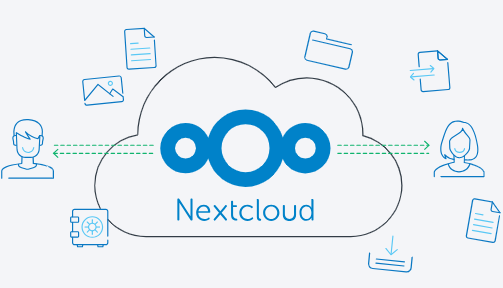
Nextcloud is the leading open-source platform for your own private cloud, a self-hosted alternative to Google Drive or Dropbox. It is used for secure file sync, real-time document collaboration, and managing all of your calendars and contacts.
Customize it with a built-in App Store of hundreds of free apps, from online office suites like ONLYOFFICE to password managers. Nextcloud being open-source means you control the server, ensuring your data is always secure and private.
Get Started In Minutes
Ready to launch your own private cloud but concerned about the technical setup? Our 1-click Nextcloud script takes care of it, getting you from order to login in just a few minutes.
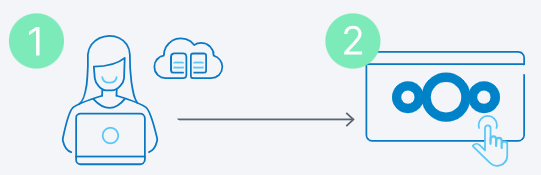
Step 1: Choose Your Plan
Pick the Nextcloud plan with the right resources for your needs (see our recommendations above or choose yourself).
Step 2: Log into Nextcloud
Once we’ve set up your server including Nextcloud, it’s over to you! Start uploading files, add users & install apps.
Why Self Host Your Own Nextcloud Server?
Self-hosting Nextcloud on a VPS gives you the freedom to create a private, powerful, and customized platform. Escape the limitations and recurring fees of big tech for all your personal and professional needs.

Top Security
Securely store, sync, and share all your personal and business files on your own private cloud.

Large Ecosystem
Add new features like online office suites or password managers with hundreds of free apps.

Easy Collaboration
Edit office documents, manage projects with shared calendars, and hold secure video calls.

Centralized Control & Privacy
Own your data with no third-party tracking and control its location for GDPR compliance.
What Can You Connect with Nextcloud?
Self-hosting Nextcloud allows you to centralize your entire workflow. The App Store lets you add free tools for real-time collaboration, task management and storage expansion, creating a powerful alternative to expensive business suites.
Why Self-Host Nextcloud on the Contabo Cloud?
When you self-host Nextcloud on a Contabo server, you own your data, control your costs, and customize your cloud exactly how you need it.

Pay one flat monthly fee for your server – that’s it.

Enjoy unlimited users – add as many users as you want.

Full data control – Choose your server location for compliance.
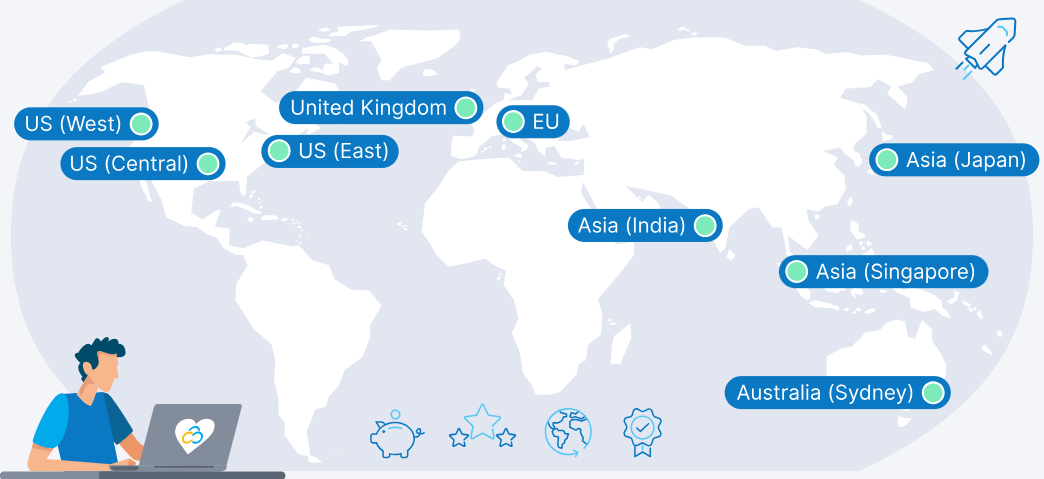
9 Regions, 11 Locations, Global Availability
From the USA to the UK, from Europe to Asia and Australia, choose your ideal hosting location for low latency worldwide
Trusted by Thousands Worldwide
190
Countries Served
225,000+
Customers Worldwide
450,000
Servers Running
22 Years
In Business
Frequently Asked Questions about Nextcloud Hosting
FAQs | More information on Nextcloud Hosting on Contabo
Nextcloud VPS hosting provides a high-performance, secure environment with full control. Customize it with a rich ecosystem of apps for communication, collaboration, and productivity, creating a seamless workflow tailored to your specific needs.
Not convinced yet? Read our article in whhichh we compare Nextcloud to it’s competitors like OneDrive, Google Cloud or self-hosted systems like a Synology NAS:
Nextcloud includes tools for real-time collaboration, such as document editing with Collabora Online or ONLYOFFICE, calendar and contact management, and secure messaging. These features facilitate efficient communication and teamwork across different locations and platforms.
Learn more about Nextcloud’s collaboration possibilities in our dedicated article Nextcloud Office & Collaboration: A Deep Dive into Integrations.
Nextcloud allows users to sync files to their devices and access them offline. Changes made offline are synced back to the server once the device’s internet connection is reestablished, ensuring data consistency and accessibility at all times.
Yes, the Nextcloud software itself is completely free and open-source. The only cost associated with running it is for the infrastructure that powers it. With Contabo, you only pay the low monthly price for your Virtual Private Server (VPS).
The easiest method is to use our one-click Nextcloud image when you order your server. This script automates the entire installation process, getting your cloud running in minutes. Alternatively, since you have full root access, you can install it manually on any Linux distribution you prefer. See our guide on How To Install Nextcloud on Ubuntu LTS (24.04) in the Contabo blog.
Nextcloud is designed with strong security features, including server-side encryption, two-factor authentication, and brute-force protection. As a self-hosted solution, the overall security of your instance is in your hands. It is important to keep your software and OS updated and use strong security practices. Contabo provides a secure network and infrastructure foundation for your server.
Learn more about how to strengthen your Nextcloud security in our article: Nextcloud Security Best Practices: A Hardening Guide for Administrators
A great advantage of having your own cloud is that you get to decide when and how to update. Keeping your Nextcloud up-to-date is simple using the built-in updater in your Nextcloud admin panel. This ensures you’re always enjoying the latest features and the strongest security.
If your Nextcloud is getting slow, consider reading our in-depth article How to Fix Slow Nextcloud: Performance Optimization and Troubleshooting Guide, where we go through tips and tricks that will improve stability and performance!
The total cost is simply the monthly fee for your chosen Contabo VPS. We do not charge per user, for bandwidth, or for extra features. This makes self-hosting extremely cost-effective, as your price doesn’t increase when you add more users to your cloud.
Protecting your data is key, and you’re in full control of your Nextcloud backups. A good backup saves everything – your files, database, and settings. You have the flexibility to run them manually or set up automations. For the best security, we suggest keeping a copy on separate storage, like our budget-friendly S3-compatible Object Storage.
You can easily install Nextcloud free of charge on any existing Contabo VPS or VDS instance via your Customer Control Panel. Simply follow our step-by-step guide.
Of course. You can do this easily via the Users section within your Nextcloud instance.
Please note that due to server-side restrictions, added users will not receive an email. However, you can simply set the login credentials for your new users and send it to them directly (they will be able to change the password later if needed).
The entire provisioning process including installation of the Nextcloud image can take up to 30 minutes in two stages:
Your server will be provisioned, and you will receive login details via email. For standard configurations, this usually takes no more than a few minutes.
Once the server itself is up and running, please allow the remainder of 30 minutes for the Nextcloud instance to be installed and activated.
We provide 24/7 technical support for our infrastructure – the physical server, network connectivity, and access to your VPS. However, we do not provide application-specific support for Nextcloud itself. For help with Nextcloud configuration, errors, or apps, the official Nextcloud community forums are the best resource.
The price displayed is the effective monthly rate for a 12-month subscription including applicable taxes.
Minimum initial contract length: 1 month | Minimum following contract length: Equal to the initial contract length | Minimum cancellation notice: None (pre-paid) or 4 weeks (post-paid).
Incoming Traffic: Unlimited and unmetered. No extra charges apply. | Outgoing Traffic: Unlimited – fair usage policy applies based on average server workloads. To maintain fair network performance for all customers, Contabo reserves the right to throttle servers with exceptionally high or disruptive usage patterns.
Applications and Add-Ons: Contabo provides full technical assistance for the Contabo VPS itself – including the network, hardware, and initial setup of any 1-click Add-Ons. Any additional open source software included in the applications is owned by the respective provider – maintenance, upgrading, and troubleshooting are within the end-users responsibility.
Contabo is not responsible for the licenses of the software included in the image. They are managed by the respective provider.